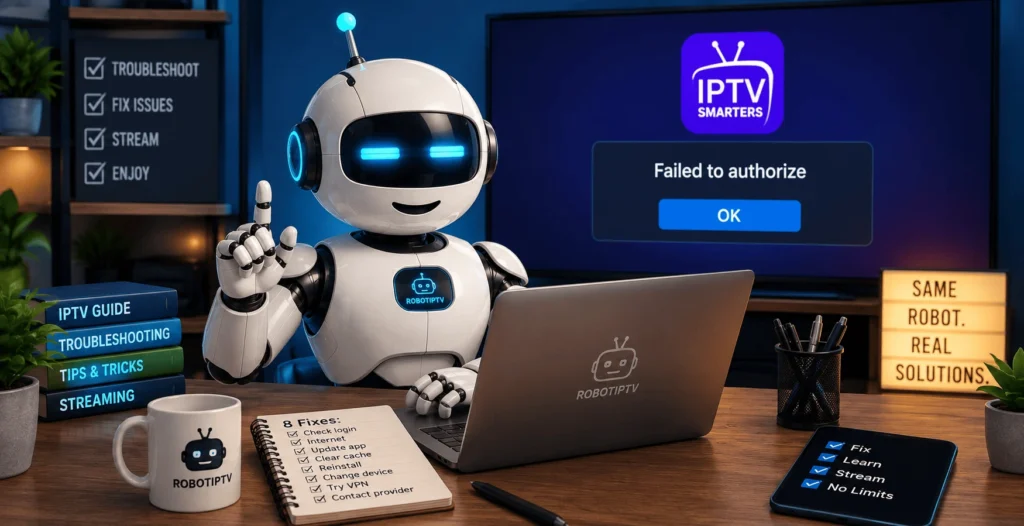
IPTV Smarters Failed to Authorize: 8 Fixes That Work

IPTV Smarters failed to authorize almost never means the app is broken. It means the login was rejected, and in nine cases out of ten the reason is one of three things: a character typed wrong, a subscription that has run out, or a connection already in use on another device.
The app has no way of telling you which. It just refuses and shows the same message every time, which is why people spend an hour reinstalling something that was working perfectly.
This guide goes through the causes in the order they actually happen, starting with the ones that take thirty seconds to rule out. By the end you will know whether the problem is on your side or your provider’s, and that distinction matters more than any single fix.
| Attribute | Details |
|---|---|
| Topic | IPTV Smarters Failed to Authorize |
| Level | Beginner — no technical knowledge needed |
| Devices Covered | Firestick Lite, 3rd gen, 4K, 4K Max, Fire TV Cube |
| What You Need | IPTV Smarters installed |
In This Guide
What IPTV Smarters failed to authorize actually means
When you enter your details, IPTV Smarters sends them to your provider’s server and waits for a yes or a no. The failed to authorize message is the no.
That is the whole mechanism behind IPTV Smarters failed to authorize. The app is not deciding anything. It is passing on a refusal from somewhere else, which is why reinstalling the app so rarely helps. Nothing about the app changed. Something about the request, or about the account behind it, did.
Three parties are involved: your device, your provider’s server, and the network between them. The fixes below work through all three, easiest first.
Cause 1: A character is wrong
By a distance the most common reason for IPTV Smarters failed to authorize, and the most annoying, because it is invisible.
A trailing space after a password is the classic. You copy the line from a WhatsApp message, the copy picks up the space at the end, and the server sees a password that does not match. Nothing looks wrong on screen.
Retype the username and password by hand rather than pasting. Yes, on a remote control. It takes two minutes and it resolves more of these than every other fix combined.
While you are there, check the case. Usernames and passwords are almost always case sensitive, and an on-screen keyboard that auto-capitalises the first letter will break a login that starts with a lowercase character.
Cause 2: The server URL is missing something
The second most common cause, and it catches out people who have done this before.
The server address needs the full format, including the protocol at the front and the port at the end. Something like http://server.example.com:8080 rather than just server.example.com.
Three things go wrong here:
- The
http://was left off, so the app does not know how to reach the address - The port number was left off, so the request goes to the wrong door
- An
https://was used where the provider expectshttp://, or the other way round
Any one of those three returns IPTV Smarters failed to authorize even when the username and password are perfect.
Your provider sent the exact string somewhere. Find that message and compare it character by character rather than from memory. If you are setting up from scratch, our step-by-step guide to installing IPTV Smarters Pro on Firestick shows exactly where each field goes.
Cause 3: The subscription behind IPTV Smarters has expired
Obvious once you think of it, and easy to miss when a plan was bought months ago and has been running quietly ever since.
If everything worked yesterday and failed today without you changing anything, this is the first thing to check. Nothing on your device changed, so something on the account did.
Message your provider and ask them to confirm the expiry date. Most will answer in minutes. This is also the moment where a service either looks professional or does not, which is worth noticing.
Cause 4: Every connection is already in use
A single-connection plan allows one stream at a time. Not one device, one stream.
That distinction causes a lot of confusion. If a phone in another room still has the app open on a paused screen, that counts. If a television was switched off at the wall without closing the app first, the session can stay open on the provider’s side for several minutes afterwards.
Close the app properly on every other device, wait five minutes, and try again. If it works, you now know what happened, and you also know whether your plan has enough connections for your household.
Cause 5: The date and time on your device are wrong
Less common, but it produces exactly the same message and almost nobody thinks of it.
Secure connections depend on the device clock being roughly correct. If a Firestick or a Smart TV has lost its time settings, usually after a power cut or a factory reset, the secure handshake with your provider’s server fails and the app reports it as a failure to authorize.
Check the date and time in your device settings. Set it to automatic if it is not already. Restart, then try the login again. Check the date and time in your device settings against time.is, then set it to automatic if it is not already.
Cause 6: Your network is blocking the connection
Some networks refuse the ports that IPTV traffic uses. University halls, office networks, hotels and a few mobile hotspots all do this by default.
A quick test: switch the device onto your phone’s mobile data, using a hotspot, and try to log in. If it authorises on mobile data and fails on your home connection, the block is coming from your network. A speed test on both will also tell you whether the home line is healthy. If it authorises on mobile data and fails on your home connection, the block is coming from your network or your provider of internet service rather than from your IPTV account.
Some ISPs also do this at DNS level. A VPN resolves it in most cases, which is one of the few situations where a VPN genuinely fixes something rather than just being generally advisable.
Cause 7: The provider’s server is down or has moved
Now we are past the things you control.
Servers go down. Server addresses change, sometimes with notice and sometimes without. When that happens, every customer on that server sees the same failed to authorize message at the same moment, and no amount of retyping helps.
The way to tell: ask your provider directly, and pay attention to how long the answer takes. A service with real support answers within minutes and tells you what happened. A service without one goes quiet.
If you see this error more than once a month, that is not a technical problem you can solve. That is information about the provider.
Cause 8: The app version is out of date
Last, because it is the least likely, but it does happen after a provider updates their system.
An old build of IPTV Smarters can lose compatibility with a server that has been upgraded. If you sideloaded the app a year ago and never touched it since, reinstall the current version from the official source before assuming anything worse.
Take the file from the official site or from a link your provider sends you. Mirror sites offering modified builds are a genuine risk on a device that sits on your home network.
Fixing IPTV Smarters failed to authorize, in order
- Retype the username and password by hand, watching for trailing spaces
- Check the server URL has
http://at the front and the port at the end - Ask your provider to confirm the subscription is active
- Close the app on every other device, wait five minutes, retry
- Check the device date and time are correct
- Test on mobile data to rule out your network
- Ask your provider whether the server is up
- Reinstall the current version of the app
Steps one to four resolve the overwhelming majority. If you reach step seven regularly, the problem is not something a guide can fix.
When IPTV Smarters failed to authorize is the provider, not you
Here is the part most troubleshooting articles leave out.
If you have worked through everything above and the error keeps coming back, the app is fine and your setup is fine. What you have is a service that cannot keep a server reachable, and no amount of retyping changes that.
The signals are consistent when IPTV Smarters failed to authorize is server-side. Support that goes quiet on evenings and weekends. Server addresses that change without warning. A program guide that is empty or shows the wrong times. Authorisation failures clustered around peak hours, which usually means the server is overloaded rather than genuinely down.
If that sounds familiar, our guide to choosing an IPTV service for a Firestick covers what to check before you pay anyone: the speed you actually need, what a working program guide looks like, and the five questions worth asking any provider. Testing during a free trial at eight o’clock on a Sunday tells you more than any comparison table, this one included.
Does IPTV Smarters failed to authorize behave differently on Samsung?
The causes of IPTV Smarters failed to authorize are identical. The place you type things is different.
On a Firestick or an Android box you enter the details inside the app. On several Smart TV platforms you upload a playlist through a web page on your phone instead, and the device is identified by its MAC address rather than by a username. That means a wrong MAC address produces the same failure as a wrong password does elsewhere.
The order above still applies. Just read step one as check the MAC address matches the screen exactly, colons included.
Frequently asked questions
Why does IPTV Smarters say failed to authorize?
Because your provider’s server rejected the login. The app is passing on that refusal, not generating it. The usual reasons are a typed character being wrong, an expired subscription, or every connection on the plan already being in use somewhere else.
Does reinstalling fix IPTV Smarters failed to authorize?
Rarely. Reinstalling only helps if the app version itself is too old for your provider’s system, which is the least common cause on this page. Work through the credentials and the subscription first.
Why did it work yesterday and not today?
Something changed on the account or the server rather than on your device. Expiry is the first thing to check, followed by whether another device in the house is holding your connection.
Can a VPN cause failed to authorize?
It can go either way. A VPN fixes it when your network is blocking streaming ports. It causes it when your provider restricts access by region and the VPN puts you somewhere unexpected. If you use one, try once with it on and once with it off.
What if IPTV Smarters failed to authorize keeps coming back?
Then it is the provider. Occasional failures happen to everyone. A pattern, especially one clustered around peak evening hours, means the servers cannot handle the load. That is not something you can fix from your side.
Is the error different on Samsung TV?
The message is the same and the causes are the same. The difference is that Smart TV setups usually authenticate by MAC address and an uploaded playlist rather than a username and password, so the thing to double check is the MAC address rather than the login.
Wrapping up
IPTV Smarters failed to authorize is a rejection, not a fault. Work through the eight causes of IPTV Smarters failed to authorize in order and you will land on the reason within a few minutes, and most people never get past the first four.
What matters more is how often it happens. Once in six months is a bad evening. Once a fortnight is a provider telling you something about the state of its servers, and the sooner you read it that way, the less time you spend retyping passwords that were never the problem.