How to Watch ESPN with IPTV in 2026: Complete Guide

“ESPN IPTV” is a search term more than a product, so it helps to untangle the two halves before anything else. ESPN is a sports media network that broadcasts through cable, satellite, and its own streaming services. IPTV is a delivery method: television sent over an internet connection instead of a traditional cable or satellite connection. Put them together and “ESPN IPTV” usually means trying to access ESPN content through an internet-delivered TV service rather than a traditional pay-TV package.
There isn’t a standalone official “ESPN IPTV” product. Availability of ESPN content through an IPTV service depends on the provider’s channel lineup, distribution arrangements, and the rights associated with the content it offers. If sports in general is the real goal rather than ESPN specifically, our best IPTV for sports guide is a useful place to compare the main things to look for.
Getting an accurate picture starts with understanding what an ESPN IPTV setup actually depends on: the service and content it provides, not simply the IPTV player or app you happen to be using.
| Attribute | Details |
|---|---|
| Topic | How to Watch ESPN IPTV in 2026 |
| Level | Beginner |
| Devices Covered | Firestick / Fire TV, Smart TVs, Android, Windows / Mac |
| What You Need | An IPTV service that carries ESPN’s channels, a compatible IPTV player, and the correct login or playlist details |
In This Guide
What does “ESPN IPTV” actually mean?
The phrase gets used two different ways, and mixing them up causes most of the confusion. Sometimes people mean watching ESPN’s own channels, ESPN, ESPN2, ESPNU, the same lineup you’d find listed on ESPN’s official site, through an IPTV provider’s channel package. Other times people mean ESPN+, which is a separate direct-to-consumer streaming service from ESPN with its own app, its own subscription, and content that doesn’t overlap much with the linear channels.
An IPTV provider carrying ESPN’s linear channels is a different thing entirely from ESPN+. IPTV services don’t distribute ESPN+ content, since that’s a subscription you get directly from ESPN, not something a third-party provider bundles in. Keeping these separate matters before you go looking for either one.
Either way, you’ll need a compatible IPTV player, an app that reads your provider’s channel list or playlist, since ESPN IPTV access always runs through some kind of player rather than a browser or a cable box.
ESPN vs. ESPN+: what’s the difference?
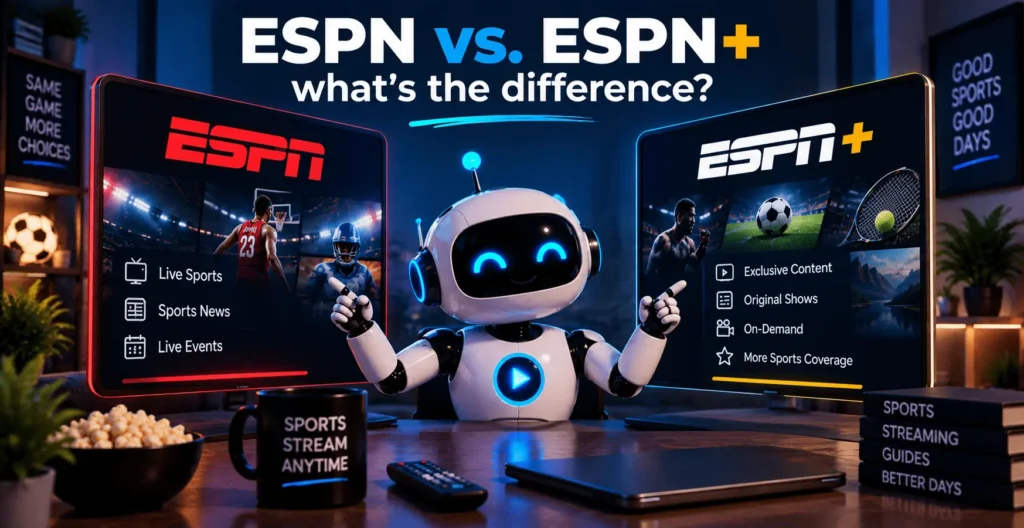
ESPN refers to the traditional cable-style channels, ESPN, ESPN2, ESPNU, and the rest of the family, carrying live sports, studio shows, and highlights on a fixed schedule. You’d normally get these through a cable package, a live-TV streaming service, or, potentially, an IPTV provider that holds the rights to carry them.
ESPN+ is something else. It’s ESPN’s own direct streaming service, sold separately with its own library of live events, original shows, and on-demand content that doesn’t air on the linear channels. You subscribe to ESPN+ directly through ESPN, the same way you’d subscribe to any other standalone streaming app.
No IPTV service legitimately bundles ESPN+ as part of its channel package, because ESPN+ isn’t a channel, it’s an app-based subscription tied to your ESPN account. ESPN live streaming through ESPN+ works only through ESPN’s own service, never through an IPTV provider’s package, regardless of what a provider’s marketing might imply. For accurate, current details on what ESPN+ includes and how to sign up, ESPN’s own streaming page and the ESPN+ site are the reliable sources.
ESPN Unlimited and ESPN Select: the official streaming plans
ESPN now sells its own direct-to-consumer streaming plans, called ESPN Unlimited and ESPN Select. If you still search for ESPN+, these are the plans to look at first, because they come straight from ESPN and need no IPTV provider at all. The ESPN site explains how an older ESPN+ subscription maps to the current plans.
| Plan | Price from 17 September 2026 | What it covers |
|---|---|---|
| ESPN Unlimited | $31.99 per month (was $29.99) | ESPN, ESPN2, ESPNU, ESPNews, ESPN Deportes, SEC Network and ACC Network, plus streaming-only events |
| ESPN Select | $13.99 per month (was $12.99) | About 32,000 live events a year, without the main ESPN linear networks |
The price changes were announced in August 2026 and apply from 17 September 2026 (NewscastStudio report), so confirm the current price on the ESPN site before you subscribe.
The difference that matters for this guide: ESPN Unlimited is an app subscription sold by ESPN, while an IPTV provider is a separate service with its own channel lineup and its own rights. If ESPN is only one of several sports channels you want, compare both routes with our best IPTV for sports comparison and the best IPTV USA guide.
ESPN IPTV outside the United States
ESPN-branded channels are not the same everywhere. The US channels such as ESPN, ESPN2 and ESPNU carry US sports rights. ESPN Deportes serves Spanish-language viewers, and some other countries have their own local ESPN channels with different rights. A provider that lists ESPN for your country may offer a different feed from the one you expect, so check the channel name, the country tag and the EPG during a trial before you pay for a long plan.
Can you actually watch ESPN through IPTV?
Sometimes, depending entirely on the provider. If an IPTV service carries ESPN’s channels and has the rights to redistribute them, you’ll see the same broadcast a cable subscriber gets. That’s a real possibility, not a guarantee that applies to every service or every plan.
What you won’t get from any legitimate provider is a promise of every ESPN game or every regional feed. Coverage depends on distribution agreements that shift by provider, plan, country, and even device, and a lineup that includes ESPN today isn’t guaranteed to include it after the next contract renewal.
This is also where the line between “available” and “included” gets blurry. Some providers list ESPN as part of a general sports package without breaking out which specific ESPN channels are actually in the lineup; ESPN2 and ESPNU in particular tend to get left off cheaper packages even when the main ESPN channel is included.
Before trusting any provider’s claim, it’s worth checking a live channel list or using a trial period rather than taking a sales page’s word for it. A provider that lets you preview the actual EPG before you pay makes this easy to verify; one that won’t show you anything until after checkout is a signal worth paying attention to.
ESPN channels and IPTV sports packages
Most IPTV sports packages that include ESPN are built around the flagship channel, with ESPN2 and ESPNU showing up less consistently depending on the provider’s actual agreements. Live sports IPTV packages in general tend to bundle regional sports networks and other cable staples alongside whatever ESPN channels are included, so it’s worth checking the specific channel list rather than assuming “sports package” means every ESPN feed.
If football is the main draw, our guide to IPTV NFL breaks down how NFL broadcast rights are split across networks, which overlaps with ESPN’s Monday Night Football coverage and is worth reading alongside this if that’s specifically what you’re after.
Game schedules for ESPN’s channels shift throughout the year, especially across different sports seasons, so checking the EPG regularly matters more here than with channels that run a fixed lineup. A provider with an accurate, frequently updated guide makes it much easier to catch a specific ESPN broadcast instead of stumbling onto it mid-game.
What to check before choosing an IPTV service for ESPN
A handful of factors actually matter here, more than any single feature a provider advertises.
Channel availability comes first: confirm ESPN, and specifically which ESPN channels, actually appear in the provider’s current channel list rather than a general “sports included” claim. Content rights matter just as much, since a provider that’s transparent about where its channels come from is a different proposition from one that’s vague about it.
Stream stability during live sports is its own category of reliability, separate from how a service performs for on-demand content, since live games put real load on a provider’s servers. Video quality, EPG accuracy so you can actually find when ESPN programming airs, and which devices the service supports round out the practical checklist.
A trial period or a real return policy tells you more than marketing copy ever will, and responsive customer support matters most exactly when something breaks during a live game. Comparing providers side by side against these points is generally worth the extra few minutes; our rundown of the best IPTV for sports walks through how a handful of services stack up against this exact checklist.
None of these checks are unique to ESPN IPTV specifically; they’re the same due diligence worth doing before subscribing to any IPTV service built around live sports.
How to watch ESPN on IPTV: devices and setup
Setup follows the same basic pattern IPTV always does: install a compatible player on your device, then enter the login or playlist details your provider gives you.
An ESPN IPTV setup on a Firestick is one of the more common combinations people search for, since it’s an inexpensive, widely supported device, and installing a dedicated app is usually the smoothest route; our guide on installing Smart IPTV on Firestick walks through that setup if you’re using that device.
If you’d rather compare players before settling on one, our comparison of IPTV apps for Firestick covers six options side by side.
Smart TVs, Android devices, and computers all support IPTV in some form too, though app availability and interface quality vary more by platform than people expect. Whatever device you’re on, the important part for ESPN specifically is confirming the channels you actually want, ESPN2 and ESPNU included if those matter to you, show up correctly in the app’s channel list after setup, not just in the provider’s marketing.
Common ESPN IPTV problems and how to fix them
A handful of issues account for most ESPN-related complaints on IPTV.
ESPN not loading at all usually points to either an expired subscription or the channel having been dropped from the provider’s lineup entirely, worth checking both before assuming it’s a technical glitch. Buffering during a live game is almost always a bandwidth or server-load issue rather than something wrong with the app; a wired connection generally holds up better than Wi-Fi for anything you don’t want interrupted.
Missing channels, ESPN2 or ESPNU showing up blank while the main ESPN channel works fine, often comes down to package tier rather than a bug. Incorrect EPG information, wrong game times or missing listings, is usually a provider-side data issue rather than something you can fix locally. App or device compatibility problems show up when a player simply wasn’t built for the hardware you’re running it on.
People comparing notes on forums like Reddit about which IPTV ESPN setups actually hold up during live games is common enough that it’s worth reading a few recent threads before committing to a provider, though treat any single account there as one data point rather than a verdict.
ESPN IPTV playlists: what to know before you download one
Searches such as ESPN IPTV playlist and free popular IPTV playlist ESPN usually lead to M3U files. A playlist is only a list of stream addresses. It carries no rights to the channels inside it, and it does not make an ESPN channel available to you.
Free public playlists tend to have the same problems:
- The streams are often unlicensed, and the viewer carries the risk as well as the uploader
- Links die quickly, so a channel can disappear in the middle of a game
- Some playlists point to apps or sites that push ads or unwanted installs
- There is no support, no refund and no way to check what is really on air
A better route is a paid service that shows its lineup and offers a trial, or the official ESPN plans above. If you load a playlist from a provider, our M3U IPTV guide explains how, and our IPTV legality guide covers what to check about rights.
Is IPTV legal for watching ESPN?
IPTV as a technology is not illegal. It’s the same basic delivery method used by mainstream services like Hulu + Live TV or YouTube TV, both of which carry ESPN through their own licensing agreements. What determines legality is whether the specific provider you’re using actually holds the rights to distribute the channels in its lineup, ESPN included.
A provider that’s transparent about its licensing is generally on solid footing. One that’s vague about where its channels come from, or that promises every ESPN game and every regional feed for a price that doesn’t add up, is worth approaching with real skepticism. Unauthorized playlists claiming to include ESPN without any indication of proper distribution rights aren’t a shortcut worth taking, since the risk sits with the viewer as much as the provider.
ESPN IPTV: pros and cons
Pros
- Can work out cheaper than a full cable package if ESPN is one of several sports channels you actually want.
- Runs across most devices, Firestick, Smart TV, Android, computer, without needing a separate cable box.
- Usually no long-term contract, unlike a lot of traditional cable or satellite ESPN packages.
- A single subscription can bundle ESPN alongside other sports networks instead of paying for separate add-ons.
Cons
- ESPN channel availability isn’t guaranteed, it depends entirely on the provider’s lineup, plan, and country.
- ESPN+ is never included, regardless of the provider, since it’s a separate subscription sold directly by ESPN.
- Legitimacy and stream stability vary a lot by provider, so checking the source is on you before you subscribe.
Frequently asked questions
What channel is ESPN on IPTV?
Channel numbers vary by provider, since IPTV services build their own lineups rather than following a standard channel guide. Check the specific provider’s EPG or channel list after setup rather than assuming a fixed number.
How do you watch ESPN on IPTV?
Subscribe to an IPTV service that lists ESPN in its current channel lineup, install a compatible player on your device, and enter the login or playlist details the provider gives you. From there, ESPN shows up in the channel guide alongside the rest of the lineup, assuming the provider actually carries it.
Can you watch ESPN+ with IPTV?
No, not through an IPTV provider’s channel package. ESPN+ is a separate direct-to-consumer streaming service you subscribe to through ESPN itself, not a channel that IPTV services carry.
Is ESPN available on IPTV?
Sometimes, depending on the specific provider. Some IPTV services carry ESPN’s channels as part of their sports lineup, but availability varies by provider, plan, country, and device, so it’s never guaranteed across the board.
Which IPTV service has ESPN+?
None, legitimately. ESPN+ isn’t distributed through IPTV providers, since it’s a standalone app-based subscription sold directly by ESPN. Any service claiming to bundle ESPN+ for free is worth treating with serious caution rather than signing up for.
What is ESPN Unlimited?
ESPN Unlimited is the streaming plan sold directly by ESPN, with its main channels and streaming-only events. It does not come from an IPTV provider.
Are free ESPN IPTV playlists safe?
Usually not. Free playlists are typically unlicensed and unreliable, and they give you no rights to the channels. See the playlist section above for what to check instead.
Does Arabic IPTV have ESPN Unlimited?
No IPTV package includes ESPN Unlimited, because it is an app subscription sold directly by ESPN. Arabic-language lineups differ by provider, so look at the channel list and EPG during a trial to see which sports channels are really offered.
Wrapping up
“ESPN IPTV” isn’t a product ESPN sells, it’s shorthand for reaching ESPN’s channels through an internet-delivered TV service instead of cable. Whether that actually works comes down to a specific provider’s channel lineup and content rights, not to IPTV as a category, and ESPN+ remains a separate subscription you get directly from ESPN regardless of which IPTV service you use.
Check the actual channel list before subscribing, confirm ESPN2 and ESPNU specifically if those matter to you, and treat any provider promising every game or guaranteed uptime with the skepticism that claim deserves.