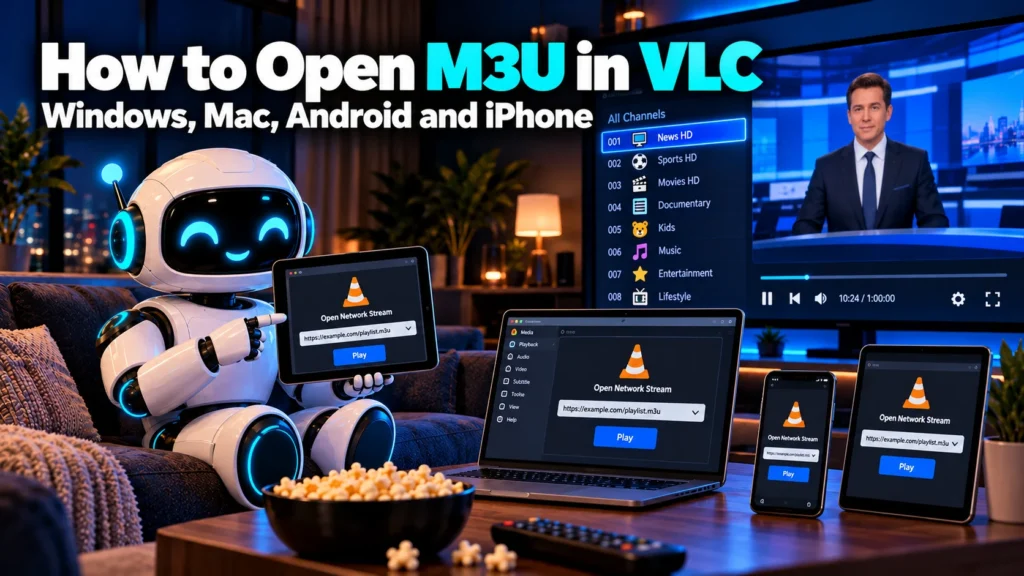
How to Open M3U in VLC on Windows, Mac, Android and iPhone

VLC media player is free, runs on almost every device and opens M3U playlists without any add-ons. That makes it the easiest way to test free IPTV channels before you look at dedicated apps.
This guide shows how to open M3U in VLC on Windows, Mac, Android and iPhone, using either a playlist URL or a downloaded .m3u file, and how to fix the most common problems.
| Attribute | Details |
|---|---|
| Topic | Opening M3U playlists in VLC media player |
| Level | Beginner |
| Devices Covered | Windows, Mac, Linux, Android, iPhone and iPad |
| What You Need | VLC media player and an M3U file or URL |
In This Guide
Before You Start
Before you open M3U in VLC, you need two things:
- VLC media player. Download it only from the official VideoLAN website or your device’s app store.
- An M3U playlist. Either a link (for example https://iptv-org.github.io/iptv/categories/news.m3u) or a .m3u file saved on your device.
A smaller playlist, such as one category or one country, loads much faster than a list with thousands of channels. Our guide to the iptv-org GitHub project lists the main options.
How to Open M3U in VLC on Windows
Open an M3U URL
- Open VLC.
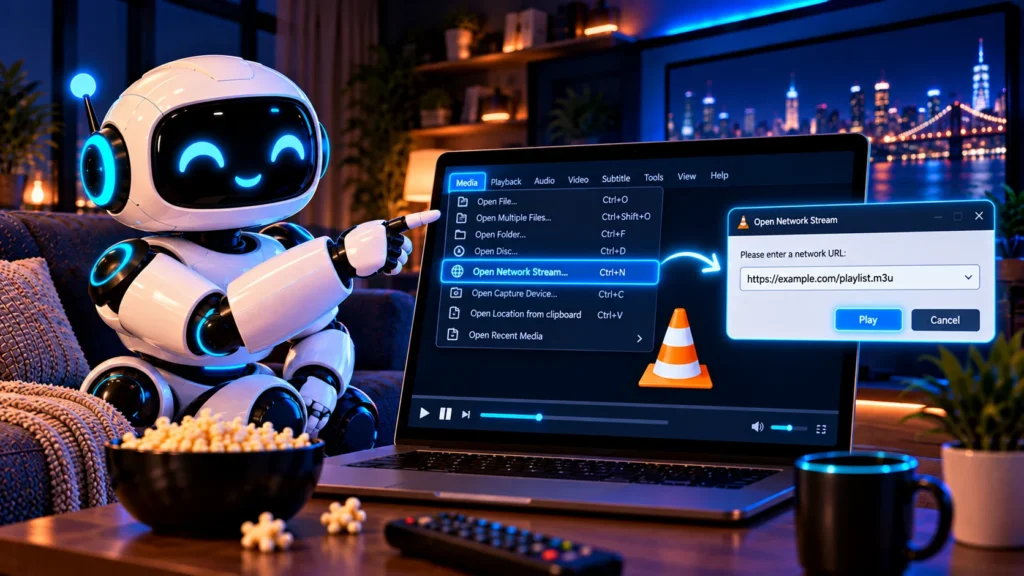
- Click Media, then Open Network Stream (or press Ctrl+N).
- Paste the playlist link into the network URL box.
- Click Play.
- Press Ctrl+L or choose View, then Playlist to see the full channel list.
- Double-click a channel to watch it.
Open a downloaded .m3u file
- Click Media, then Open File (or press Ctrl+O).
- Select your .m3u file and click Open.
- Press Ctrl+L to show the playlist and pick a channel.
You can also drag the .m3u file straight onto the VLC window.
How to Open M3U in VLC on Mac
- Open VLC.
- Click File in the menu bar, then Open Network (Command+N).
- Paste the M3U link and click Open.
- Choose Window, then Playlist (Command+Shift+P) to browse channels.
For a saved file, use File, then Open File, or drag the .m3u file onto the VLC icon in your Dock.
How to Open M3U in VLC on Android
- Install VLC for Android from the Google Play Store.
- Open the app and tap More at the bottom.
- Tap New stream (shown as “Stream” on some versions).
- Paste the M3U link and tap the arrow or Go.
- Swipe up or open the playlist view to choose a channel.
To open a saved .m3u file, use your file manager, tap the file and choose VLC.
How to Open M3U in VLC on iPhone and iPad
- Install VLC for Mobile from the App Store.
- Open the app and tap the Network tab.
- Tap Open Network Stream.
- Paste the M3U link and tap Open Network Stream again.
- Choose a channel from the list that appears.
Quick Reference
| Device | Menu path | Shortcut |
|---|---|---|
| Windows | Media > Open Network Stream | Ctrl+N |
| Windows playlist view | View > Playlist | Ctrl+L |
| Mac | File > Open Network | Command+N |
| Android | More > New stream | None |
| iPhone and iPad | Network > Open Network Stream | None |
These menu names come from VLC’s own menu documentation and current app versions. Wording can change slightly between updates.
Why VLC Will Not Play Your M3U
| Problem | What to check |
|---|---|
| Nothing happens after pasting | Make sure the link starts with http:// or https:// and has no spaces |
| VLC freezes on a big list | Use a smaller category or country playlist |
| Playlist loads but one channel fails | That stream is offline or geo-blocked; try another channel |
| Only the first channel plays | Open the playlist view (Ctrl+L) to see the others |
| File opens in a text editor | Right-click the file, choose Open with, then VLC |
| Picture stutters | Lower other network use or use a wired connection |
Keep VLC updated. Newer versions handle more stream formats, including the M3U8 links most live channels use. Our guide to M3U8 links explains how those work.
Useful VLC Settings for M3U Playlists
Once you open M3U in VLC, a few settings make live channels smoother and easier to manage:
- Save your playlist. After loading a playlist from a URL, use Media, then Save Playlist to File (Ctrl+Y) to keep a local copy you can reopen offline.
- Increase network caching. If streams stutter, open Tools, then Preferences, choose Show settings: All, go to Input / Codecs and raise Network caching (for example from 1000 to 3000 ms). VLC buffers more before playing, which reduces freezes.
- Turn on repeat for the playlist. The loop button below the video keeps the list ready after a channel ends.
- Use the search box in the playlist view. With large lists, type part of a channel name to filter the list instantly.
- Check codec information. Tools, then Codec Information (Ctrl+J) shows the resolution and codec of the stream you are watching.
| Task | Windows shortcut | Mac shortcut |
|---|---|---|
| Open network stream | Ctrl+N | Command+N |
| Open file | Ctrl+O | Command+O |
| Show playlist | Ctrl+L | Command+Shift+P |
| Save playlist | Ctrl+Y | Command+S |
| Fullscreen | F | Command+F |
With these settings, opening an M3U in VLC becomes a quick routine: paste the link, save the list, and switch channels from the playlist view.
Frequently asked questions
How do I open an M3U file in VLC?
On Windows, click Media and then Open File, select the .m3u file and open it. Press Ctrl+L to see the channel list.
How do I play an M3U URL in VLC?
Choose Media and then Open Network Stream, paste the playlist link and click Play. On a Mac, use File and then Open Network.
Can VLC on Android play M3U playlists?
Yes. Tap More, then New stream, paste the M3U link and open it. You can also open a saved .m3u file from your file manager.
Why can’t VLC play my M3U file?
The link may be wrong or expired, the playlist may be too large, or the stream may be offline or blocked in your country. Try a smaller list or another channel.
Does VLC show a TV guide for M3U playlists?
VLC focuses on playback and does not show a full TV guide grid. For a schedule, use an IPTV app that supports EPG. See our guide to IPTV EPG.
Conclusion
VLC is the quickest way to open an M3U playlist on any device: paste the link with Open Network Stream, then use the playlist view to switch channels. If a list will not load, try a smaller one. After you open M3U in VLC a couple of times, the whole process takes less than a minute.
For more playlists to try, see our full guide to IPTV channels, and add a schedule with our IPTV EPG guide.