IPTV-org GitHub: How to Use the Free Public IPTV Playlist

If you have searched for free IPTV playlists, you have probably landed on a GitHub page called iptv-org. It is one of the largest open directories of publicly available TV streams, and it is the source behind most of the IPTV channels people browse with free playlists.
This guide explains what the iptv-org GitHub project actually is, which playlist links matter, how to open them on your device, and what to do when a channel does not play.
| Attribute | Details |
|---|---|
| Topic | The iptv-org GitHub project and its playlists |
| Level | Beginner |
| Devices Covered | PC, Mac, Android, iPhone, smart TVs and streaming sticks |
| What You Need | A media player that opens M3U links, such as VLC |
In This Guide
What Is iptv-org GitHub?
iptv-org is an open-source project hosted on GitHub. Its main repository, iptv-org/iptv, collects links to TV streams that broadcasters and other sources already make public on the internet, then sorts them into M3U playlists.
The project does not host any video. It stores text files with stream addresses, channel names, logos and guide IDs. When you open a playlist, your player connects directly to each broadcaster’s own server.
The work is split across several repositories:
| Repository | What it does |
|---|---|
| iptv-org/iptv | The playlists you open in a player |
| iptv-org/database | Channel names, countries, categories and logos |
| iptv-org/epg | Tools to download TV guide data |
| iptv-org/api | Machine-readable data for apps and developers |
| iptv-org/awesome-iptv | A curated list of other IPTV resources |
Because everything is public, anyone can suggest a new stream, flag a broken one or report a link that should not be there.
The Main iptv-org Playlist Links
The project publishes its playlists on its GitHub Pages site, iptv-org.github.io. These are the links most people use:
| Playlist | Link | Best for |
|---|---|---|
| All channels | https://iptv-org.github.io/iptv/index.m3u | Browsing everything at once |
| By category | https://iptv-org.github.io/iptv/index.category.m3u | News, music, kids, movies and more |
| By language | https://iptv-org.github.io/iptv/index.language.m3u | Watching in a language you know |
| By country | https://iptv-org.github.io/iptv/index.country.m3u | Local channels from one country |
| One region (Europe) | https://iptv-org.github.io/iptv/regions/eur.m3u | Channels from a wider area such as Europe |
Each category, language and country also has its own smaller file. For example, the news-only list is https://iptv-org.github.io/iptv/categories/news.m3u and the United States list is https://iptv-org.github.io/iptv/countries/us.m3u. Smaller lists load faster and are easier to scroll through on a TV remote.
Tip: the full list is very large. If your player is slow or freezes, start with one category or country instead.
How to Use the iptv-org Playlist in a Player
The project’s own instructions are short: paste the link to a playlist into a video player that supports live streaming, then press open. In practice it looks like this:
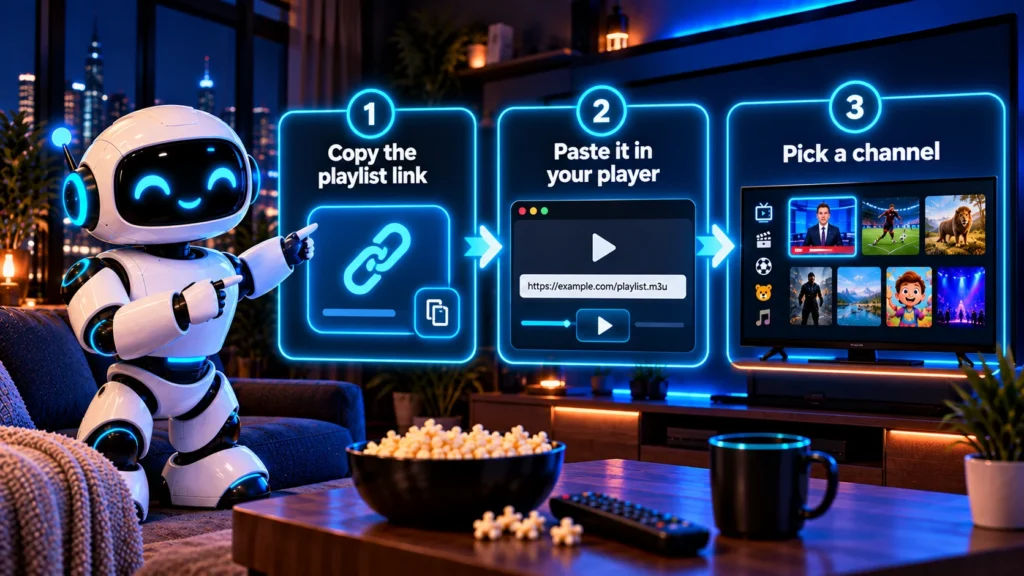
- Copy one playlist link from the table above.
- Open a player that accepts M3U URLs, such as VLC on a computer or phone.
- Find the option to open a network stream or add a playlist by URL.
- Paste the link and confirm.
- Wait for the channel list to load, then pick a channel.
If you use VLC, our step-by-step guide on how to open M3U in VLC shows the exact menus on Windows, Mac, Android and iPhone. For a general explanation of the file format, see our guide to the IPTV M3U playlist.
Adding a TV guide
The playlists include guide IDs for many channels, but the guide itself is a separate download. The iptv-org/epg repository has tools to build an XMLTV guide file that your player can load next to the playlist. Our guide to IPTV EPG walks through it.
Why Some iptv-org Channels Do Not Work
A channel listed on iptv-org can still fail to play. The most common reasons are:
- The broadcaster changed or removed the stream. Public stream addresses change often.
- Geo-blocking. Some streams only play in their home country.
- Format support. A few streams use formats your player cannot decode. Try another player before giving up.
- Temporary outages. A stream that fails today may work again tomorrow.
The playlists are rebuilt automatically, so reloading the playlist URL usually gives you the latest working links. If you saved a copy of the file months ago, replace it with a fresh one.
Is the iptv-org Playlist Legal?
The iptv-org GitHub repository states that it stores no video files, only links to streams that are publicly available. It also explains that copyright holders can ask for a link to be removed by opening an issue, and that requests to take down the content itself have to go to the web host that serves it.
That said, a link being public does not guarantee you have the right to watch it everywhere. Laws differ by country. The safest approach is to stick to official broadcaster streams, free ad-supported channels and content you are allowed to access where you live.
How to Report a Broken or Unwanted Stream
The iptv-org GitHub project relies on its community. If you find a problem:
- Broken stream: open an issue in the iptv-org/iptv repository with the channel name and playlist.
- Wrong channel details: report it in iptv-org/database, where names, logos and countries are kept.
- Questions or ideas: use the Discussions section of the iptv-org organization.
Before opening an issue, read the project’s contributing guide so your report has the details maintainers need. If you have never used GitHub issues before, GitHub’s own guide on creating an issue shows how, step by step.
Best Players for iptv-org GitHub Playlists
Any player that can open an M3U link from a URL will work with the iptv-org GitHub playlists. Some are easier than others, depending on your device:
| Device | Good option | Why it works well |
|---|---|---|
| Windows, Mac, Linux | VLC media player | Free, opens M3U links with Open Network Stream |
| Android phone or tablet | VLC for Android | Free, adds playlists from a URL in a few taps |
| iPhone and iPad | VLC for Mobile | Free, supports network streams |
| Android TV, Fire TV | An IPTV player that accepts M3U URLs | Shows channels in a TV-friendly list with a remote |
| Home media center | Kodi with the PVR IPTV Simple Client add-on | Adds a full TV guide when you load an EPG file |
A few tips make the iptv-org GitHub lists much easier to use:
- Start small. A country or category list loads faster than the full index and is easier to browse.
- Keep the link, not the file. The iptv-org GitHub playlists are updated often, so add them by URL. Your player then picks up the latest version each time it refreshes.
- Add favorites. Most players let you mark channels you watch often, so you do not scroll through thousands of entries every time.
- Pair it with a guide. If your player supports EPG, load a guide file so channels show what is on now.
If a player cannot open a large list, it is usually a memory limit on that device, not a problem with the iptv-org GitHub playlist itself. Switch to a smaller list and try again.
Frequently asked questions
What is iptv-org on GitHub?
It is an open-source project that collects links to publicly available TV streams from around the world and organizes them into free M3U playlists by category, language, country and region.
What is the main iptv-org playlist link?
The main playlist is https://iptv-org.github.io/iptv/index.m3u. It contains every channel in the directory, so it can be slow to load. Category and country lists are smaller.
Does iptv-org host the channels?
No. The repository only stores links and channel information. Your player connects directly to each broadcaster’s server.
Why does a channel from iptv-org not play?
The stream may have moved, be blocked outside its country, use an unsupported format or be temporarily offline. Reload the playlist or try another channel.
Can I use iptv-org on a smart TV or Firestick?
Yes, as long as the device has an app that can open an M3U playlist from a URL. Paste the playlist link into that app.
Conclusion
The iptv-org GitHub project is one of the easiest ways to explore free, public TV channels from around the world. Start with a category or country list, open it in a player like VLC, and refresh the link whenever channels stop working. Bookmark the iptv-org GitHub links you use most, because the iptv-org GitHub project updates them regularly.
For more ways to browse by country, language or category, go back to our complete guide to IPTV channels.